What Is a Certificate of Trust?
A certificate of trust is a legal document that confirms a trust exists. It also attests that a trustee has permission to act in accordance with the trust’s instructions. Before a certification of a trust can be written, the trust itself must be established by the grantor.
The trustee typically completes the certificate, as they are the party that acts on behalf of the beneficiaries. In some cases, the grantor (or the “settlor“) may sign the certificate at the trust’s inception to confirm its existence.
Once the certificate is written and properly signed and notarized, the trustee can present it to third parties. Banks, brokerages, and title companies may request it to confirm the trustee can carry out specific acts. If the trust holds real estate, the trustee may need to record the certificate with their local county recorder’s office.
How to Fill Out a Certificate of Trust Form
A certificate of trust helps financial institutions and other organizations ensure a trustee has the power to perform the duties outlined in a trust. Follow these steps to write your certificate as the trustee.
Step 1 – Identify the Trust
Specify the trust whose existence you are certifying. This step does not require you to share all the private details, so banks and other third parties won’t see anything that’s not necessary to reveal. You only have to provide the legal name of your trust, the date it was created, and the state where the grantor set it up.
Step 2 – Name the Parties Involved
Provide the name of the person who created the trust (grantor). You can also specify whether the trust is irrevocable or revocable, so it’s clear whether the grantor can revise the trust during their lifetime.
Add the name and address of each trustee. Some trusts only have one trustee, but others have multiple. If the pertinent trust has more than one trustee, it’s important to name each one in your certificate so that you confirm each person’s permission to act.
Step 3 – Give Additional Details About the Trust
You may include a Tax Identification Number (TIN) associated with the trust. It’s optional in some cases, but it’s required for opening bank accounts in the trust’s name and allowing for the management of certain assets.
If you plan to use the affidavit of trust to engage in a real estate transaction, you must clarify whether the trust owns any property. If it does, list the address of each property owned.
Step 4 – Provide Signing Information for the Certificate
Provide the date that you will sign the certificate. State whether all or some of the trustees will sign. If you only plan to have some of them sign the document, write their names to clarify that those not mentioned will not be signing the form.
Step 5 – List Notary & Witness Details
A certificate of trust is a type of affidavit, so it must be signed before a notary public. Some states require witnesses (in addition to notary acknowledgment) to observe the trustees’ signatures.
Include the following information about the notarization:
- The state and county where the notarization will take place
- The name of the notary public
- The date the notary signs the certificate
- The notary’s commission expiration date
If witnesses will oversee the trustee’s signature, provide the full name of each witness and the date of their signature.
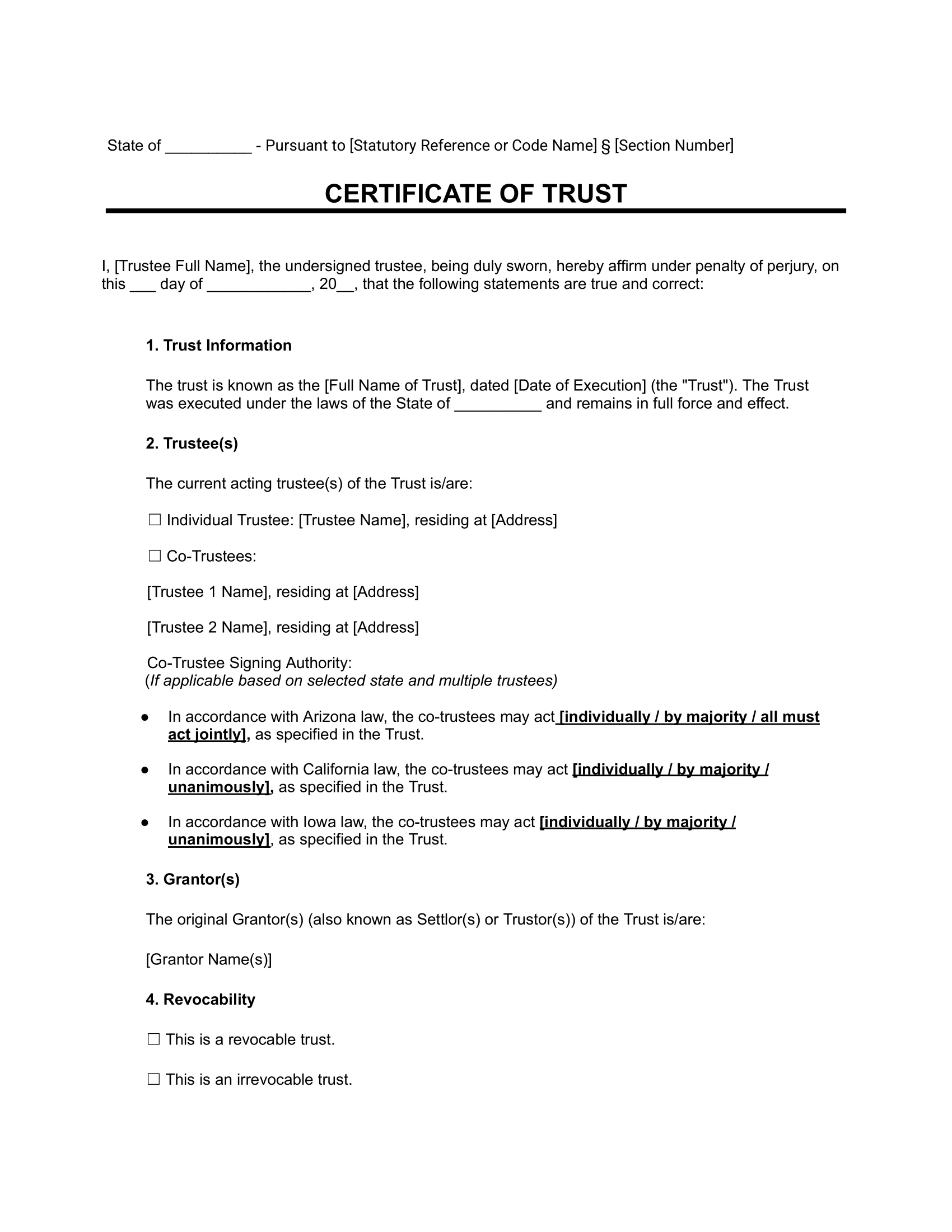
Sample Certificate of Trust
See what a certificate of trust template looks like by viewing our free blank sample below. When you’re ready, create a printable version using our guided form, available in PDF or Word format.
State Laws for Certificate of Trust
A certificate of trust must adhere to your state’s laws. Below, you can explore the laws for each state, which include information on the contents and signing requirements.
| State | Law |
|---|---|
| Alabama | AL Code § 19-3B-1013 |
| Alaska | AK Stat § 13.36.079 |
| Arizona | AZ Rev Stat § 14-11013 |
| Arkansas | AR Code § 28-73-1013 |
| California | CA Prob Code § 18100.5 |