What Is a Trust Amendment?
A trust amendment form is a legal document that updates part of a trust without replacing the original. It only applies to revocable living trusts, which the grantor can change or cancel at any time. The grantor often serves as the trustee during their lifetime and keeps full control. After the grantor’s death, the trust becomes irrevocable and can no longer be changed.
A living trust amendment form lets you update specific terms, such as adding or removing beneficiaries, changing trustees, or correcting addresses. It preserves the original trust document while clearly recording each change with exact details. This keeps your estate plan organized, legally clear, and easy to track over time.
Unsure what type of trust you have? Our Testamentary Trust vs Living Trust guide explains the key differences.
Can an Irrevocable Trust Be Amended?
An irrevocable trust typically can’t be changed or canceled. Once it’s set up, the terms are meant to stay in place. However, in some cases, changes to this type of trust are possible with court approval or if the beneficiaries agree.
For example, in the case of the Frei Irrevocable Trust, the court allowed changes to the trust’s terms. A couple had created the trust for their ten children, and after one spouse passed, the court allowed the surviving settlor and a beneficiary to modify the trust.
The court ruled that changes may be permitted if they don’t harm any beneficiary’s interest. This shows that, while rare, changes can occur under the right circumstances, especially if they do not cause harm to the beneficiaries.
When to Use a Trust Amendment Form
A living trust amendment form is a simple way to make changes to a revocable trust. It works best when you want to update one or two details without rewriting the full document. Use it if you need to:
- Add or remove a beneficiary: You might remove an ex-spouse or add a new grandchild.
- Change the trustee or successor trustee: If your current trustee has passed away or can’t serve anymore, you can name someone new.
- Adjust how assets are divided: You may want to shift from an equal split to a 60/40 division between two children.
- Update for major life or financial changes: This could include adding a new property, removing assets you’ve sold, or making changes after a divorce or remarriage.
Review your trust regularly to make sure it still reflects your needs. If something changes, a quick amendment can help keep your estate plan up to date.
If you’re making multiple or major changes, a trust restatement often works better than several amendments. It replaces the entire trust text but keeps the original name and date. You usually won’t have to retitle assets, and it’s easier to manage than dealing with multiple amendments.
How Much Does It Cost to Amend a Trust?
The cost depends on how you choose to make the changes. If you revoke the original trust and hire a lawyer to create a new one, it can easily cost over $1,000. For a simple amendment, many attorneys charge between $300 and $600, depending on your location and how complex the trust is.
If you’re looking for a more affordable option, you can use our free living trust amendment form. It gives you more control over the process while still offering a reliable and professional way to update your trust.
If you only need to verify that the trust exists and don’t need to make any changes to it, use Legal Templates’s affidavit of trust.
How to Fill Out a Trust Amendment Form
A trust amendment form needs your full attention. Even a small mistake in updating trustees or assets can cause major issues. Here’s how to handle it.
1. Understand Your State’s Rules
Before making any changes to a trust, it’s important to understand your state’s specific requirements. The process for amending a trust isn’t the same across the country, and using the wrong method could make the update invalid.
- Some states offer more flexibility. In Haggerty v. Thornton, for example, the California Supreme Court ruled that you can follow either the trust’s method for amendment or California state law unless the trust specifies otherwise.
- Most other states take a stricter approach. They usually require you to follow the trust’s instructions exactly when making changes.
To stay on the safe side, always check your state’s rules before signing or notarizing a trust amendment.
2. Enter the Trust Title
Start by writing the full legal name of the original trust, such as The Johnson Revocable Living Trust dated March 15, 2010. This helps clearly connect the amendment to the correct document.
3. Identify the Grantor(s)
Indicate whether the original trust has one grantor or two. Make sure this matches exactly what appears in the original trust document.
4. Choose the Type of Amendment(s)
Next, decide what kind of change you need to make. Some updates involve a single sentence, while others affect full sections. You can choose one or more options based on what you’re changing.
- Sentence Amendment changes the wording of a specific sentence.
- Sentence Deletion removes a single sentence.
- Section Amendment updates an entire paragraph or clause.
- Section Deletion removes a full section from the trust.
Be clear and specific with each change. Include the original sentence or section number to help keep everything organized.
5. Add a New Provision (if needed)
If you want to include a new rule that isn’t already in the trust, select “Yes.” Otherwise, choose “No” and continue to the next step. When adding a new provision, write it clearly and completely so there’s no confusion about what it means. For example, add a rule that says all grandchildren must be at least 25 years old before receiving their inheritance.
6. Select the Date Option
Choose whether to enter the amendment date now or leave it blank and fill it in after printing. If you leave it blank, be sure to write in the exact date when the amendment is signed and notarized.
The date must match on every page and in every reference. Using different dates can raise questions about whether the amendment is valid or if changes were made at different times. Keeping the date consistent helps show that all parties agreed to the update at the same time.
7. Review, Print, and Sign
Before printing, take a moment to review the entire amendment for accuracy. Check names, dates, and any changes you’ve made to be sure everything is correct. Once you’re ready, print the document and sign it. If your state requires notarization, make sure to sign in front of a notary to make the amendment legally valid.
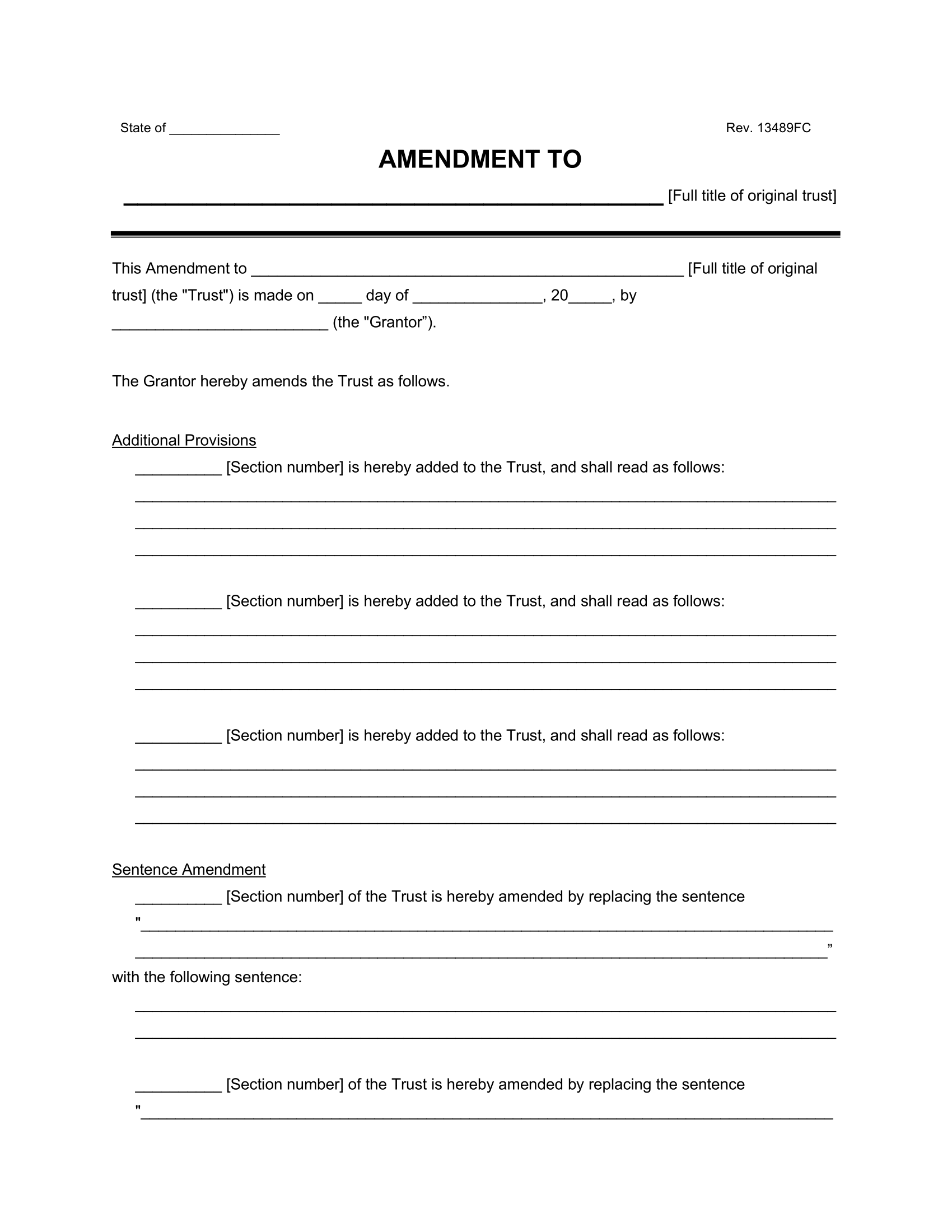
Sample Trust Amendment Form
Here’s a sample trust amendment form to see how a completed version looks. It gives you a clear example to follow when making your own updates. Once you’re ready, download a customizable version in PDF or Word.